Showing posts with label Math. Show all posts

Sunday, August 24, 2014

Review ~ UberSmart Math Facts

UberSmart Math Facts Review


UberSmart Software was born when a homeschooling family needed a program to practice math facts, but available programs were not a good fit for their family. The program they created is called UberSmart Math Facts. It can be used on your windows computer with XP, Vista, Windows 7 or Windows 8. There is not a version for the Mac at this time.

This is a downloadable program, so you do not need to use internet to use it, and once you download it, it is yours forever! You can put it on more than one computer, but be aware that if you do, the same child needs to use the same computer each time or their progress will not be saved.

The program is recommended for ages K through 6th but anyone needing practice can use it. I even used it myself!

So how does UberSmart work?

It is basically a tool to help your child memorize and practice math facts in addition, subtraction, multiplication, and division. There are four ways to use it.....

In LEARN mode the child thinks of the answer in their mind and then clicks a button to check and see if they were right.

In PRACTICE mode the child types in the answers to find out if the answer is right. If it is wrong, the correct answer is shown and they move on to the next card.

In TEST mode there are two options. For beginners you can assess to find out what the child is already good at and where the most help is needed. This assessment is not timed, so the student doesn't need to be anxious to finish, they can take however long they need. Advanced students can test for mastery. This test is timed, and if all answers are correct and done quickly they will get a screen saying they have mastered the set of problems they were working on.

In COMPETE mode, two or more people can have a little friendly competition and see who can outdo each others scores. Not every kid is a fan of this, but if they are it can be great motivation to practice more. This was not a good idea for my kids, it led to tears and unkind words. So we just stick to personal goals now and they don't share with their siblings how that is going.


How did we use UberSmart Math Facts?
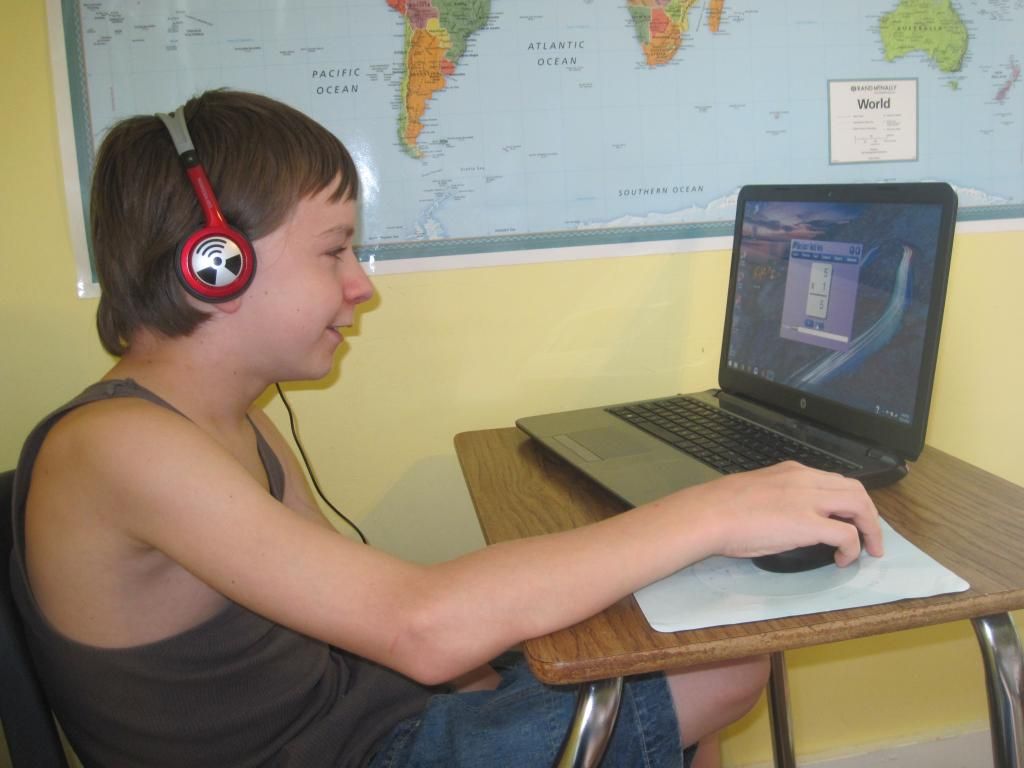
 photo IMG_3338_zps024374b1.jpg

I told the kids they just had to practice for ten minutes a day. Often they would keep going much longer though. Each child has their own login, I only had to show them once how to use it, it is that easy to use.

I made it a point to tell them that this was a very good way to improve their math skills without doing math on paper. Just a few minutes a day adds up fast, and before they knew it they would be mastering the facts that used to slow down getting their math done every day. With no pressure to hurry or finish a whole page etc. we have seen some real progress!
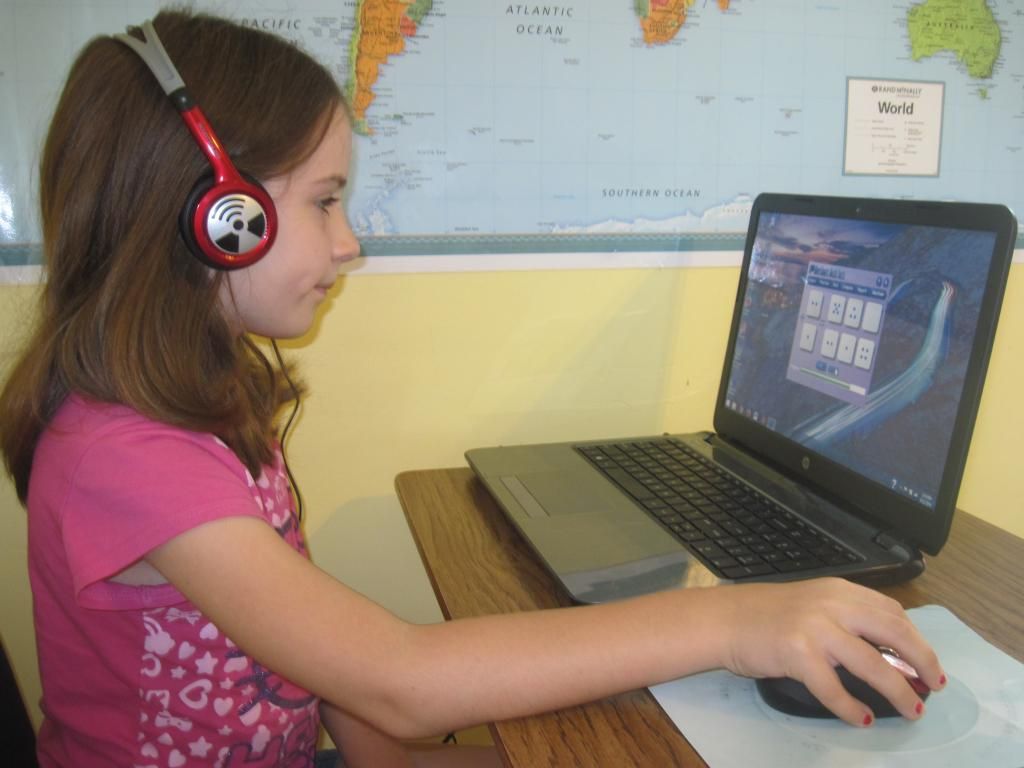
 photo IMG_3339_zpsc7c553b6.jpg

I was very glad to see that my younger kids could use UberSmart too because you can use the cards with either numbers or dots like dominoes! She likes playing with the dot cards and asks to do it often. I had to help her more than the others but I expected that.

UberSmart Math Facts Review


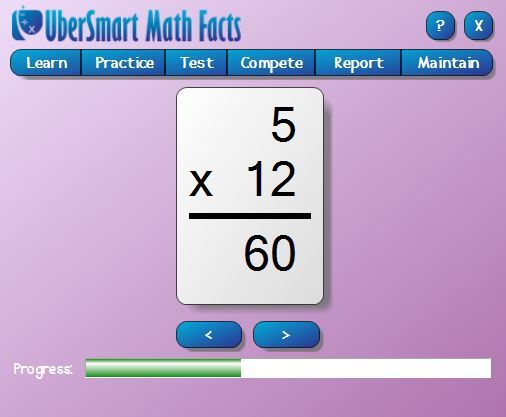
I like that I can adjust the program to only practice a certain number. So if my kid is having problems with multiplying by 12's then that can be the only number they practice for a while until they master it. Ill be honest and say I didn't know all of my facts for 12. I needed some practice myself!

I also like being able to track how well each kid is doing and see the progress they they are making.  I appreciate the simple design that is easy to use, and installing it was easy as well. That's always a bonus for me!

UberSmart Math Facts Review

One thing I would change would be the ability to make the practice box the full size of the screen. It was big enough to read well, but the background screen on our computer was distracting for my younger ones. Its just a personal preference and no biggie though!

UberSmart Math Facts is currently selling for $24.95 and can be used with up to 8 students. This is great news for us large families! If you use the code “v4 Early Bird” in the discount code box during checkout you will get a 30% discount, valid through September 30, 2014!

Read more reviews from other families by clicking the banner below.....


Click to read Crew Reviews


Crew Disclaimer

Sunday, August 17, 2014

Review and Giveaway ~ Skrafty Homeschool Minecraft

SKrafty Reviews and Giveaways

Welcome!

It's back to school time, and for homeschool families - that means gathering curriculum, planning and finding new ways to inspire kids in their studies. SKrafty Homeschool Minecraft is the perfect way to add the fun and inspiration you need. This fall, the class line up is spectacular! If you need homeschool math, science, bible, history, language arts or more . . . you are in for a treat. Using some of your favorite homeschool curriculum companies (including Apologia Science, Mystery of History, and A+ Interactive Math) you'll learn to incorporate Minecraft projects into your family homeschool.
SKrafty Classes

See all the new classes SKrafty has to offer HERE

Find out more about the fully monitored SKrafty Minecraft server where it is safe for your family and children - and get whitelisted for FREE right HERE. SKrafty is specially designed and the rules are constructed to encourage good sportsmanship - with no griefing allowed, no bad language or ugly talk, and no sharing of outside links to protect your children. See a full list of rules HERE. What other parents are saying about SKrafty Homeschool Minecraft:
"Since starting Skrafty my son has blossomed. His typing has gotten a lot better. School work is not a chore any more I just give him the list of what needs to be done and he does it. He finds the lessons entertaining and engaging and he loves the activities that go along with them. We are all very grateful for Skrafty." ~ Cheryl J. "My son enjoys playing on Skrafty with other kids and I love that it is a safe, moderated Minecraft server! While playing on Skrafty he has learned creative building, developed critical thinking skills, made friends, and learned to be a team player. The classes have been fun and the reading program has encouraged him to read more than ever. Skrafty has been such a blessing to our family!" ~Julie B.
Special needs learning:
"Skrafty has been a huge blessing to our family! My son with dyslexia is not only learning but enjoying learning!!!! His reading and writing have developed more with Skrafty than any other program we have used. The classes are engaging because they are so hands on and truly turn learning into an adventure. I so highly recommend Skrafty!" ~ Caroline D.
  What we learned: 

My 11 year old son is in love with Minecraft, so naturally he was excited to try out a Skrafty class! He chose Animals and Their Habitats because he loves all animals and thought it would be fun to build them. 

Getting signed up was easy, he already had a minecraft account so we filled out the whitelist form and he was approved quickly. He is pretty new to minecraft on the PC, but there were many kind kids there who helped him when he needed it. 

I felt it was safe for him to chat on the Skrafty server because the forums are moderated, and not just anyone can join. They must be a member. 

I was so amazed by the intricate designs he came up with for his biomes and habitats, his animals were super cute even if they were squarish.  (Its all blocks in minecraft.) He enjoyed being on there and was eager to move to the next lesson once he finished one.

The lessons themselves were not too long, but full of information needed to complete his tasks. Links to youtube videos that have been pre-screened gave him a look at lots of different animals and their natural environment so he had plenty of inspiration to complete his building. 

I am really excited to see Mystery of History as a class option this fall. I bought Volume 1 a month ago and we start with it next week. I am hoping my younger girls will want to build history too! 

I just love Skrafty and so does my son! Learning really can be fun and Skrafty has given us an enjoyable way to supplement our homeschooling. Thanks Skrafty! 

Affordable: Extremely affordable classes (between $6.99 - $32.00) make it easy to add creativity and excitement into your education at home. Sign up HERE for live classes or self-paced classes and begin your journey into the world of homeschool Minecraft with SKrafty.

Giveaway Companies - Multiple Winners!

SKrafty Giveaways  

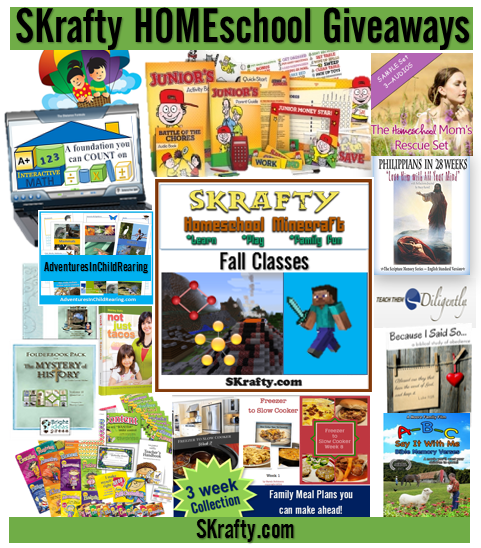
  Check out all the wonderful companies and prizes you can win for your family homeschool: 3 SKrafty Fall Classes - Value up to $32 each Mystery of History Volume 1,2, or 3 & Super Supplemental - Value $150 A+ Interactive Math - Family Package for 3 Students - Value $450 Adventures In ChildRearing - Wildlife Adventures bundle- Value $27.99 We Choose Virtues - Homeschool Kit - Value $98.99 Sidetracked Sarah - Crockpot Freezer Meals 3 pack - Value $8.97 Moore Family Films - ABC Say it With Me - Value $15.99 Not Consumed - Back to School 4 Pack - Value $12.50 Teach Them Diligently - Family Pass to 1 Convention - Value $65 Homeschool Adventure Co. - Philippians in 28 Weeks - Value $18.95 Media Angels - Homeschool Moms Rescue Set - Value $9.99 A Journey Through Learning - Math Lapbook - Value $15.00 Dave Ramsey - Financial Peace Jr. - Value $24.95  

Enter with 1 entry or enter with them all: Click the link below to enter.....

CLICK HERE!!!


Mystery of History, Dave Ramsey, and Moore Family Films are for US winners only. The other prizes are for everyone to enter, even internationally.

Disclaimer ~ We were not compensated for doing this review, we did it in exchange for trying out a class. All opinions are my own and were not influenced by receiving the class at no cost.

Monday, June 9, 2014

Review ~ Learning Wrap Ups and Learning Palette

Learning Wrap-Ups Review

Do you have a hands on learner in your home? I have one kid who learns best by actually doing something with his hands. This helps cement the information in his mind. Learning Wrap Ups has many products to help kids who are hands on learners. We were blessed to receive some of their products to use in our homeschool and review. We were sent a very generous package that included.....

2nd Grade Reading 1 Base Center Kit $61.99
3rd Grade Math Learning Palette 1 Base Center Kit $71.99
Math Intro Kit Without CD's $44.99
Vocabulary Intro Kit $35.99
10 Days To Multiplication Mastery Wrap Up and Book Combo $12.99
10 Steps to Addition Mastery Wrap Up and Book Combo $12.99
LearningPalette.com One Year Subscription ($59.99 value)

These products are for grades K-5

This is going to be a long review because there is so much to say about these great products! I will start with our favorite.....


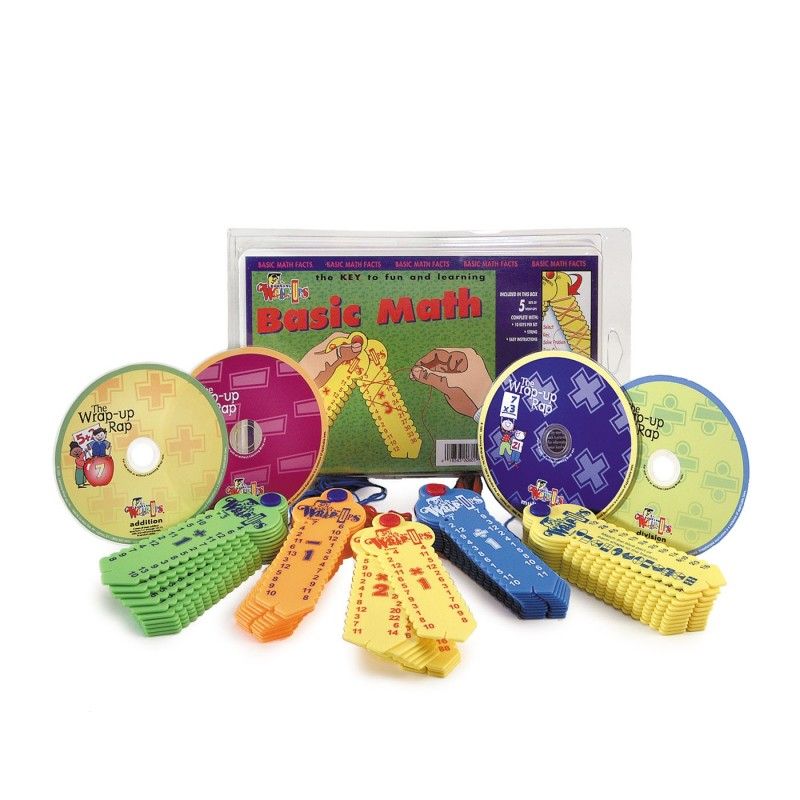
Learning Wrap-Ups ReviewThe Math Intro Kit (without CD's) has been the most used and well liked product here in our homeschool. The kit contains 5 key shaped math practice tools for practicing math facts in addition, subtraction, multiplication, division, and fractions. A teachers guide is also included to give you ideas for using the kit, and even has award certificates inside. Your child needs to know how to do these types of math problems already, these are used to help in memorizing the facts, which in turn builds stronger math skills. These can be used to supplement any math curriculum.


How does a Math Wrap Up Work?

These are simple to use, I only had to show the kids once what to do. Using the attached string, you go from left to right and match up the answers and then when you are done you flip it over and check to see if you got them right. If the lines on the back match up, then it is all correct. This video is better at explaning it than I am.


How We Used the Math Intro Kit.....

 I have 4 kids in different grade levels, so I could have the kids each work on one of the math wrap ups at a time or work with each other in pairs. We played games, like timing how quickly we could finish a wrap up, and then trying to beat that time. They made me play too and I have to admit I am a little slow after being out of school so many years. We took them with us to appointments, played in the van while riding, etc. I have noticed some definite improvement in the time it takes them to get through a math assignment. My son who has struggled from the beginning with math was not a fan of these wrap ups at first. I showed him his time scores from the day we got them until now, and he smiled knowing he had improved. It motivated him to practice more often and improve on his own.

 photo IMG_3214_zps13b3542b.jpg
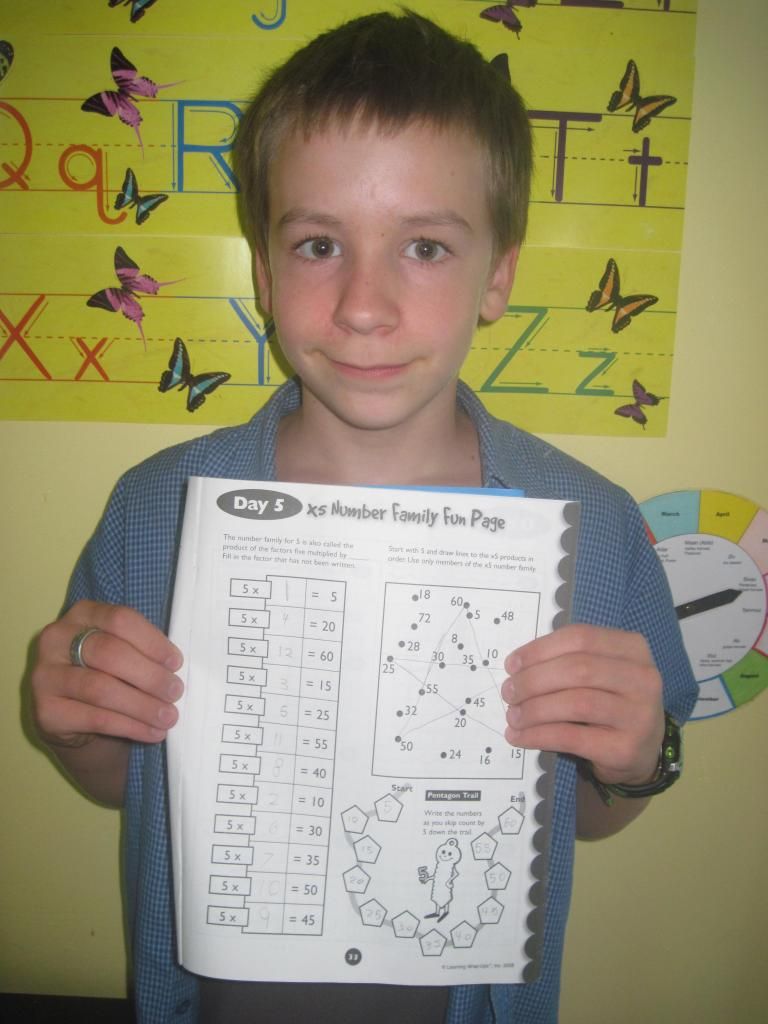
The 10 Days To Multiplication Mastery Wrap Up and Book Combo was used by my 10 year old son. Ill be honest and say that it took us longer than 10 days to get through the 62 page book, however the methods they use have most definitely improved his memorization of the multiplication math facts.

He still struggles with 6's, 7's, 8's, and 12's, but with continued practice with the wrap ups I know he will eventually master it!


He liked the fun activities like this number family fun page he is holding. Other activities include story problems, rapid writing of the facts, review pages, and tests and journal pages at the end.

 If you already own the wrap up you can buy just the workbook for $4.99 each.


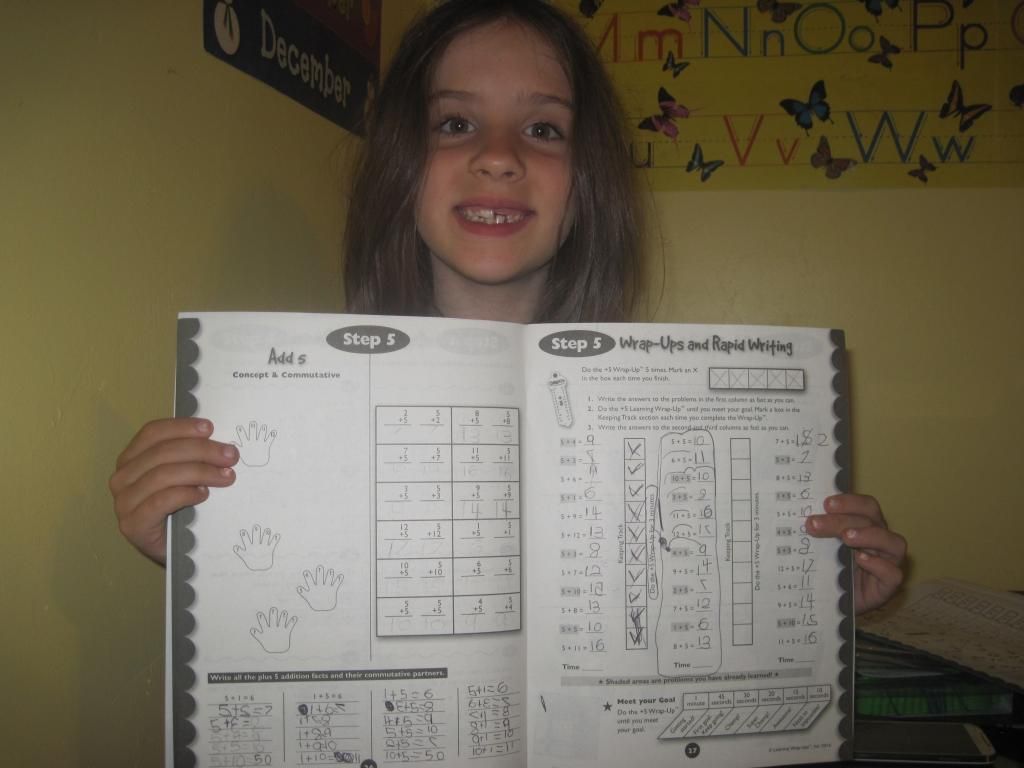
 photo IMG_3217_zps53a873c5.jpgMy 7 year old daughter used the 10 Steps to Addition Mastery Book and Wrap Up Combo with the addition wrap up. I let her go at her own pace with the 62 page book so she wouldn't feel overwhelmed. Some pages were very easy to get through while others were a bit harder. She said using the book was fun, and she is using her fingers less often to figure out her math problems.

You can purchase just the workbook for $4.99 if you already own the Wrap Up.


Both of the above books were well worth using and are a perfect companion to the math wrap ups. I also think the workbooks are very affordable to use with multiple kids.

Learning Wrap-Ups ReviewThe Vocabulary Intro Kit is used the same way as the Math Kit, except it gives practice in language arts. This kit contains 4 key shaped tools to practice Synonyms, Homonyms, Antonyms, and Compound Words. My 9 and 10 year olds have a pretty large vocabulary, so some of the keys were too easy for them. There were a few words that were a challenge, so after looking those up in the dictionary they didn't want to do them anymore. That is when I had them do some of the activities from the included teacher guide. Writing the words in alphabetical order and writing sentences using the words gave them more of a challenge than using the keys alone. My 7 year old couldn't read all the words herself so we worked together with these. She knew quite a few of the answers and learned many new words along the way.


Learning Wrap-Ups Review

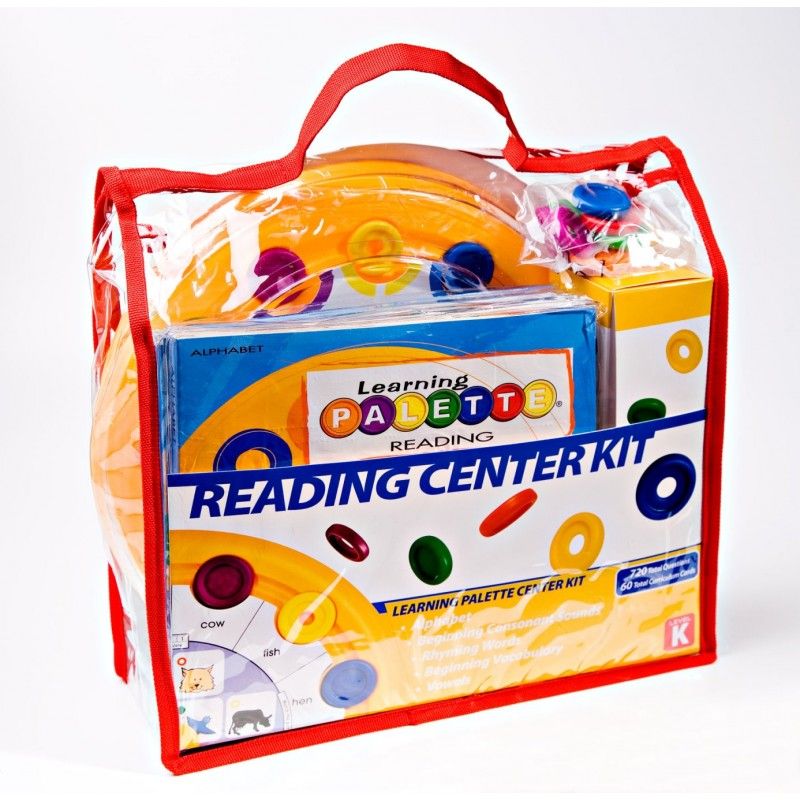
The Learning Palette Reading Center Kit is such a neat learning tool! Each kit comes with a learning palette base and 5 sets of cards. Each card set has 12 round cards that fit on the base and have questions that the child answers by placing a round disk on the correct color. Then flip the card over to see if your answers are correct.

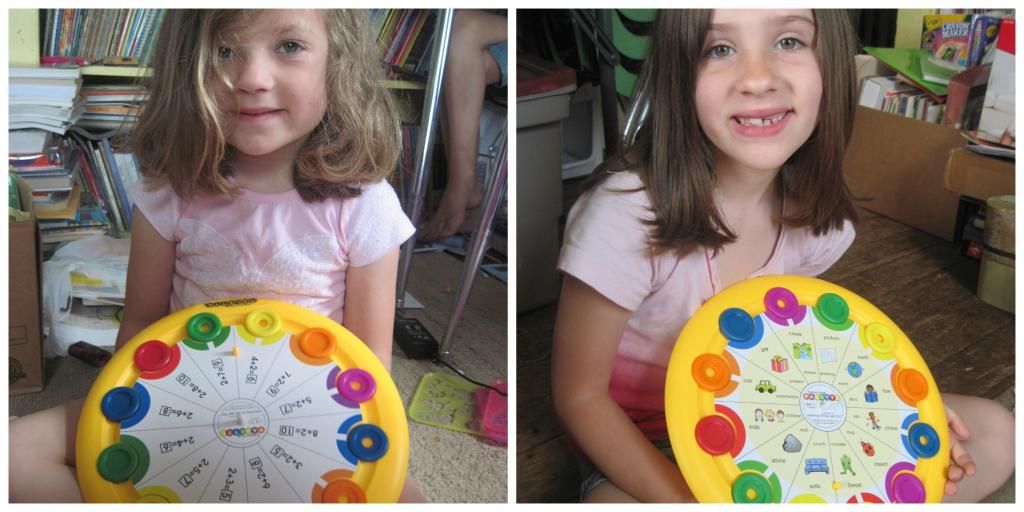
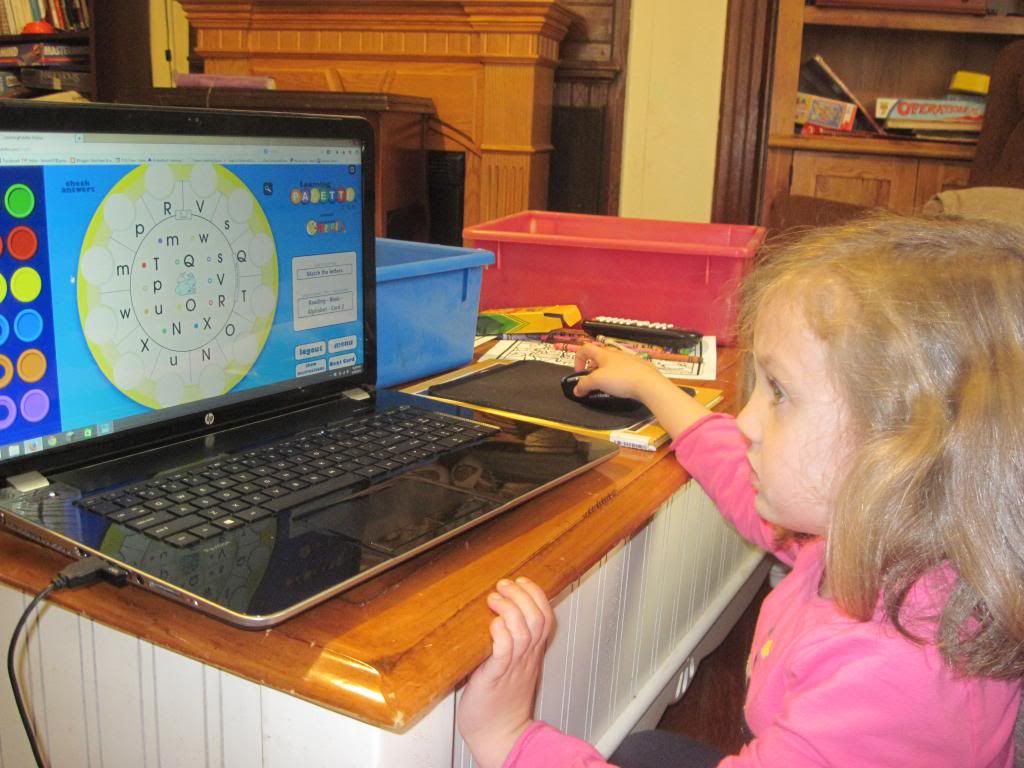
We chose  the 2nd grade reading kit for my 7 year old to use for this review. My 5 year old was immediately attracted to the bright colors and fun looking cards. She could do some of the 2nd grade cards with my help, but she wanted cards of her own to use so I ended up ordering her some card sets of her own.


 photo palette_zps30fa6f12.jpg

Learning Wrap-Ups Review

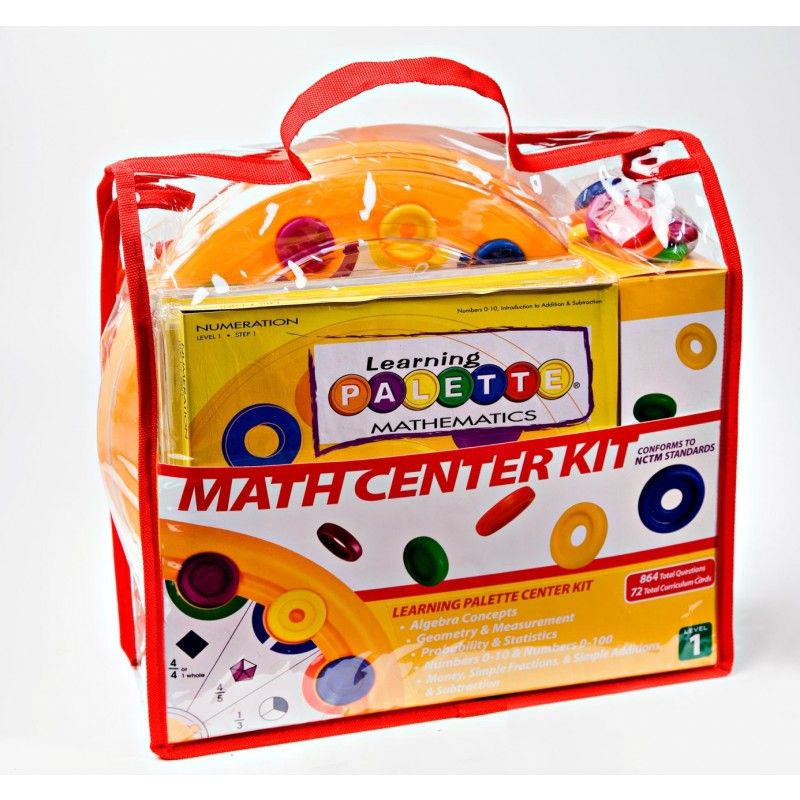
The Learning Palette Math Center Kit is used just like the reading set but has math problems instead.

We chose the 3rd grade math kit for my 7 and 9 year old to share. The math seemed advanced to me, it was pretty hard for my 7 year old, so she couldn't do every card without my help. I would rather challenge them than have it be too easy so it worked out just fine.

My younger girls like getting out the palettes and working in the floor with them while I work with the older kids. It keeps them busy and they are learning as they "play". I love the handy totes the kits came in, we can grab one or two on the way to appointments and we don't lose the pieces.

A good way to determine the right level of cards for your child is to use the online version first to see where your child fits best. You can get a free trial by clicking here.

 photo IMG_2878_zps9af484e2.jpg
LearningPalette.com is the online version of a Learning Palette. This option gives you access to all the grade levels at once in both math and reading for up to 5 children for $59.99 per year. If you use the code HOMESCHOOL when you check out you will get an extra 20% off through May 31st 2015 as well.

The online version of Learning Palette is great for families with many kids, each child can work at their own level and pace and you can keep track of their progress with your parent account. You can access your account from any computer and there is nothing to download. This is a more affordable option for our family compared to the cost of buying sets of cards for each child.

Even my 5 year old is able to use the site by herself. My older kids prefer the online version, but my younger two seem to prefer using the actual palette.Our family has definitely enjoyed all of these products, and I plan on ordering other versions of the Wrap Ups in the future!

You can read other reviews of these products by clicking the banner below. Connect with Learning Wraps Ups via.....

Facebook: https://www.facebook.com/LearningWrapUpsInc
Twitter: https://twitter.com/2010Facts


Click to read Crew Reviews


Crew Disclaimer

Tuesday, November 5, 2013

Review ~ IXL Math and Language Arts


IXL Logo photo ixllogofixed.png

IXL.com is an online Math practice website for grades Pre-K through 12, but now they also offer Language Arts practice as well for grades 2-4. More grades will be added soon! Since the membership is online there is nothing to download, and the site can be used from anywhere with an internet connection.

Since it near the beginning of the school year IXL has offered us the perfect way to review math skills learned last year in math and also practice a few new ones. I required my 10, 9 and 7 year old to practice for at least 15 minutes each day, but they were welcome to practice longer if they wanted to. The kids can reach goals such as completing so many problems or practicing for a certain amount of time, then they get rewarded with special graphics on their progress board and also with printable certificates if they like that type of thing. All 3 kids were able to use the math section with no assistance from me, even my 2nd grader. She kind of shocked me with all she was able to do, she picks up so much just by being around when I teach the older kids something.

IXL math practice can be used as a supplement to any math program, good to know if not all of your children use the same math curriculum.

 photo 280956_362445090496975_1685320066_o_zpse8620420.jpg

Language Arts is a new addition to IXL, right now it is only available for 2nd through 4th grades, but that includes all 3 of my homeschooler's grades so it was perfect timing. My 2nd grader did fine with the activities if someone was available to help her read. She isnt quite fluent enough to fully understand what is being asked of her and then of course to read all the answers by herself. When we helped her though she did great, and wanted to keep going for a lot longer than I wanted to sit most days. My two 4th graders were able to use the Language Arts all by themselves without problems. My son told me he like the LA better than the math, and thats unusual for him.

 photo IMG_6332copy-Recovered_zps68039f50.jpg

I have my own parent account that I can log into to see just what they have been doing, how long they did it,  and how well they did. There is a section that shows me the State Standards for my state, including Common Core. I can compare these to the level of mastery my kids have shown if I want to, but honestly I don't like doing that. It is nice knowing what is expected at each grade level though. I get emails when they have reached a goal, it makes the kids smile really big when I show them the email I got praising the efforts they have made!

In my state we are required at the end of the year to either have a certified teacher review a portfolio or have the kids take standard tests. We choose portfolio, and I can print out reports from IXL showing how my child has made progress during the year along with samples of their written work. This is a nice option that I am really going to use at portfolio time! I have never done standard testing with the kids, but I did as a kid. I can see how practice like IXL provides can help with testing scores. There is a timing feature that can be used or turned off, whichever you prefer. The times stresses my kids so I don't use it, but if I were preparing them for testing I would use that feature since the standard tests are timed.

What we liked about IXL...
*I liked the parent reports, it helped me see areas where each child needed some help and in which areas they were doing just fine.
*I like that it can be used anywhere, so if they have an impromptu sleepover they can get some practice in that day.
*I like that the kids didn't feel pressured to stay in one grade level, they can go to a younger grade and work their way up if needed, or skip ahead as well.
*I liked that except for helping my 2nd grader with Language Arts I did not need to be present as they practiced. This is a blessing on "those days" when nothing is going right and my attention is on other things for a while.
*The kids all said they enjoyed working by themselves and being able to choose what to work on each day.

What we did not like about IXL.....
*The kids were expecting it to be more "game like" but it is really more like bookwork minus the book. They don't enjoy writing on worksheets much so they did prefer IXL over paper.
*My son with a learning disability got frustrated easily by the score going down if he got an answer wrong. He likes to reach those goals, and when it takes too long to get there he just wants to quit. So we wish the points didn't go down, staying the same would be better.
*The State Standards and Common Core stuff is very unimportant to us, but to some it is very important. I want to stress to those using this with their children to NOT be discouraged if your child isn't doing everything on the grade level that they say the child should be doing. Don't be afraid to practice where they need it only, and let them work at their own pace so learning stays fun!

A subscription to IXL is $9.95 for math only, $9.95 for language arts only, or $15.95 a month for both. If you purchase a yearly subscription it is $79.00 for either math or language arts, and $129.00 a year for both subjects. Each additional child is only $2 per month, or $20 per year. - See more at: http://schoolhousereviewcrew.com/ixl-review/#sthash.t76o1ld2.dpuf
A subscription to IXL is $9.95 for math only, $9.95 for language arts only, or $15.95 a month for both. If you purchase a yearly subscription it is $79.00 for either math or language arts, and $129.00 a year for both subjects. Each additional child is only $2 per month, or $20 per year. - See more at: http://schoolhousereviewcrew.com/ixl-review/#sthash.D6v1Scj1.dpuf
A subscription to IXL costs $9.95 monthly ($79.00 yearly) for each subject, OR $15.95 a month ($129.00 yearly) for both Math and Language Arts.

These rates are for one child, additional children can be added for $2 each per month or $20.00 each per year.

Photobucket

 photo DisclaimerGraphic1_zpsf612f371.gif


Friday, March 15, 2013

TouchMath ~ Grade 2

logo photo touchlogo_zps5760f524.jpg

My 6 year old, Skye, has always loved math. She picks up new concepts pretty easily and has moved forward quicker than I expected this year. She had just finished her 1st grade math program when we were given the opportunity to review a program called  TouchMath. It was perfect timing! I love it when God works things out for me before I even have time to think about it. :)

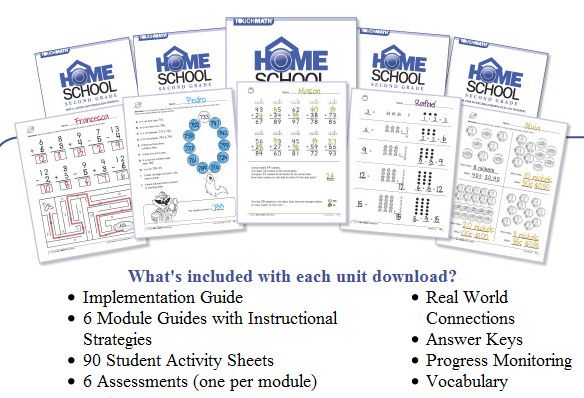
TouchMath Second Grade Homeschool Edition is a bit different from other math programs we have used, but it also seemed strangely familiar to me. Each number 0-9 has a special way of counting its value by touching it in certain places. This is the same way I have always counted numbers in my head. The website says the program has been around since 1979 and used in public schools. That is the year I started Kindergarten, so its possible I used this same program (or a variation of it) way back then!


You can find many other helpful videos on the TouchMath UTube Channel.

It literally took Skye minutes to learn the different touch points and get started with this program. The main curriculum consists of  4 units which can be purchased separately for $59.99 each or all at one time for $199.95. I was able to download everything in about 20 minutes, and start reading the parent guides right away. There is a lot of printing to do if you print both the student pages and the guides. I chose to print just the worksheets and read the guides on my computer screen. This took just a few minutes of prep time for me each day. I recommend printing the worksheets double sided to save paper. The 4 units cover these topics...
  • Unit A: Adding and Subtracting Within 50
  • Unit B: Adding and Subtracting Within 100
  • Unit C: Adding and Subtracting Within 1000
  • Unit D: Time, Money, Measurement,Data and Geometry
2nd photo 2nd_zps507a9062.jpg
Along with the main curriculum I also received some of the manipulatives that can be used with the TouchMath program. These manipulatives are NOT required in order to use the program!

TouchMath Flip Cards $19.00 per set
TouchMath Tutor Second Grade Software $99.00
Student Number Cards $24.00
Touch Numerals with Base 10 Trays $99.00

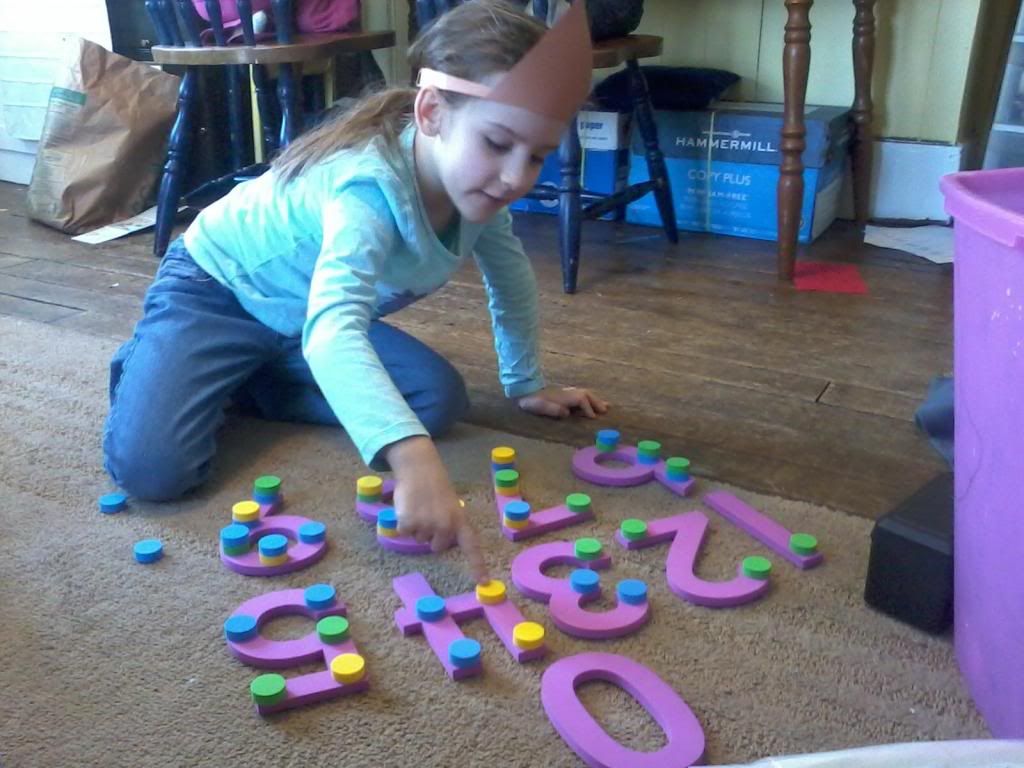
Out of these, Skye loved the Touch Numerals best, she also loved using the computer software.

 photo 0219133613_zps41b2139c.jpg

What is a typical day using TouchMath like?

 I begin by reading the instructions for the worksheet she will be doing that day before she wakes up. It takes just a few minutes. Later I demonstrate the concept to her using the whiteboard, and sometimes using the Touch Numerals and Base 10 trays. Then I give her a worksheet and she practices what she has learned. We both appreciated that the worksheets were not packed full of problems work out each day. Touchmath recommends spending 4 to 5 days a week on math for 2.5 minutes X the age of your child. Skye is 6, so 15 minutes a day is plenty enough time for her. Often she wanted to do more so of course I let her, but if she was ready to move to another subject by then it was OK.

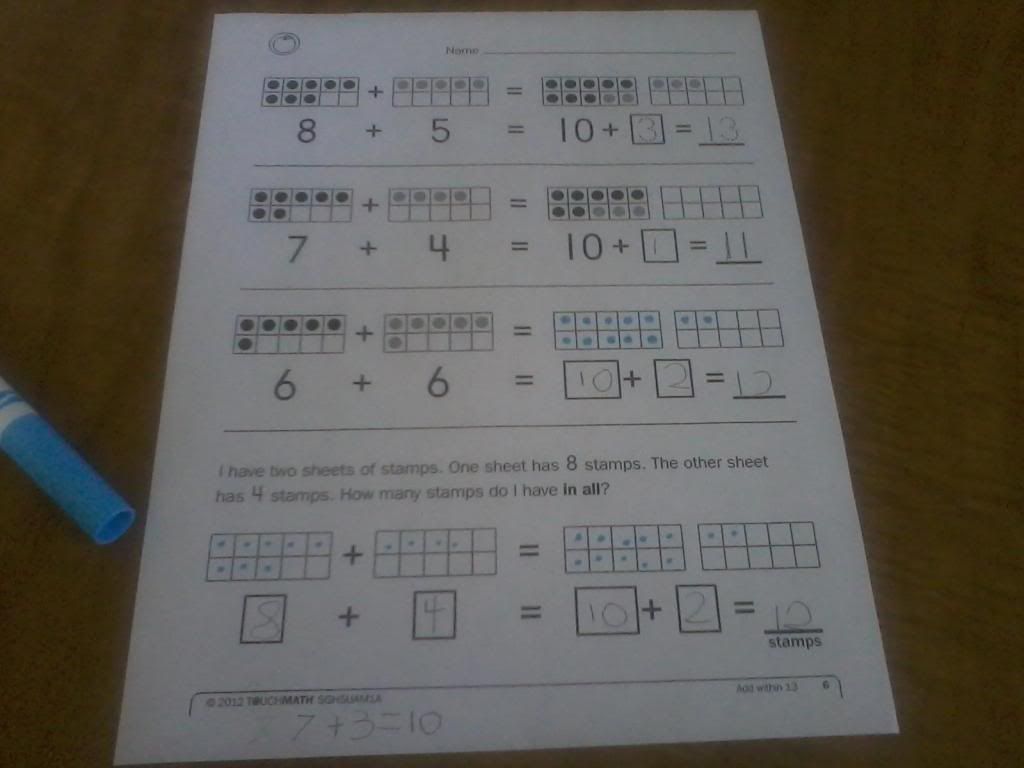
Below is a worksheet she completed without using manipulatives. She used a marker to fill in the dots on the base 10 blocks to solve the problems. Find sample pages of each unit in the right sidebar of the TouchMath website.

 photo 0314143303_zpsfe5ef905.jpg

She really likes doing her math with the Touch Numerals. If I had to pick just one of the manipulatives to get this would be the one.

 photo 0219135214_zps7031cfb0.jpg

TouchMath is currently available for grades K-2nd. It would have been great for my son who has ADHD years ago. I think children with other special needs would also benefit greatly from the hands on approach this program uses. I highly recommend you read reviews from other bloggers with different aged children to see how they used TouchMath by clicking the banner below.

Photobucket

 photo DisclaimerGraphic1_zpsf612f371.gif


Friday, February 22, 2013

A+ Interactive Math ~ 4th Grade

Photobucket
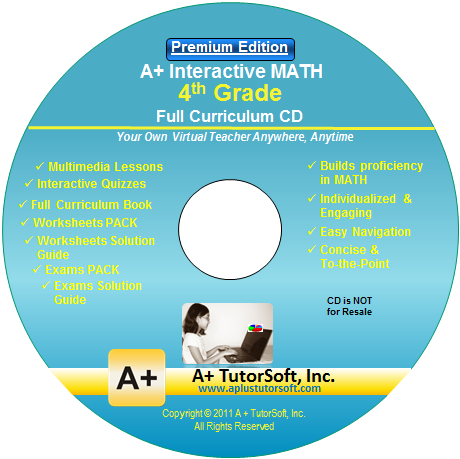
My 8 and 9 year olds have been trying out a math curriculum called A+ Interactive Math. We used the CD version that is installed on a home computer, but there is also an online version so you can have math lessons on any computer anywhere. A+ Tutorsoft, Inc. created this interactive math curriculum to be easy to use for both the student and the teacher.

Photobucket
We chose 4th grade after taking the free placement test available on the website. A+ Tutorsoft offers curriculum for 1st grade through Algebra 1. I highly recommend taking the test because I would have chosen 3rd grade based on their age, but 4th grade was right where they needed to be.

Each lesson begins with an animated demonstration of the concept being taught. I liked that the kids could see how to solve a problem, hear it being explained, and then afterward there is an interactive Q&A session. So audio, visual, and hands on learners are covered. View a demo of how the program works here.

If they need additional practice there are worksheets to print out as well. The CD contains an entire printable workbook, you print only what you need. Being a mom of many I love printable workbooks so I can use them again later with my younger children for just the cost of ink and paper.

With the Deluxe CD version I can have up to 5 students with their own separate login. I can keep track of what they need more help with through the Parent/Teacher login, I have access to the solution guide as well. If one child is ready to move on while another needs more practice, using this software makes it easy to keep track.

I help the kids log in to the correct profile and then leave them to do the lesson on their own. Of course they still call for me often, so Im not being replaced by the computer. One of my children needs more help using the program than the other. This child found the computer voice hard to understand, and would burst into tears out of frustration. I had to sit by and stop the lesson frequently to explain what was being said until it was understood. This same child loved doing the Q&A on the computer however, and because there isnt a lot of questions it wasn't overwhelming.

Child 2 did very well without much help at all from me. I am hoping child 1 will eventually become more comfortable using it alone, but if not it is still an excellent program and both of them are learning and progressing nicely. I gave both kids the choice to either continue using A+ or go back to our old math program and they both chose A+.

Reasons I like A+ Interactive Math...

It is thorough and does a great job of teaching math.
It makes my job easier and gives me more time to work with my younger children.
I can use the CD version again when the littles get bigger.
I only have to print when it is needed.
No workbooks to buy, its all included.
The deluxe version CD includes progress tracking and parental controls.
The kids like it. That in itself is enough to make this homeschool mama jump for joy :)

My only dislike would be the computer voice being hard to understand, it is sort of monotone. But this isn't likely to be an issue for most kids.  I can always re-say it for that particular child.

 The A+ Tutor Math CD's can be purchased for $99.99 for each grade level or get the Deluxe Version CD for $124.99. There is also an online version available for $19.95 per month, $49.99 quarterly or $124.99 yearly.

 50% OFF Special Promotion through the end of MARCH. The coupon code is: SPOFFER50


Photobucket

Disclaimer: I received a free copy of this product through the Schoolhouse Review Crew in exchange for my honest review. I was not required to write a positive review nor was I compensated in any other way. All opinions I have expressed are my own or those of my family. I am disclosing this in accordance with the FTC Regulations

Sunday, August 12, 2012

Math Made Easy ~ Multiplication

Photobucket

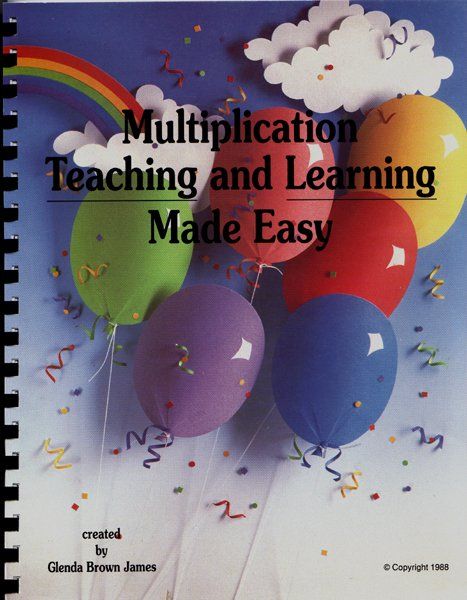
My two oldest homeschoolers had just started multiplication when our school year ended for the summer. They will be starting 3rd and 4th grade in the fall, which is the range recommended for this program. It can also be used with 5th or 6th graders, and special needs students.  I jumped at the chance to review Multiplication Teaching and Learning Made Easy because the author claims a child can learn the entire times tables in just 6 weeks.

The book arrived during a storm that hit our area, and we were out of power for 6 days. That gave me plenty of time to cut out all the game pieces included in this set. Prep time took me a little over an hour, when the power came back on I also laminated the pieces to make them more sturdy.

The softcover workbook is reproducible for your family's use only. Included are...
Lesson Plans
Pre-Test
Six weeks of daily activity sheets
Post-Test
Games
Flashcards
Photobucket


Wanda's method of teaching is so simple to understand, after eliminating the "easy to learn" facts there are just 36 facts left to memorize. If your child can learn 6 facts a week for 6 weeks then you have got the times tables conquered and will be ready to move on to higher math. How exciting!

What we thought of Math Made Easy ~ Multiplication.....

It has been 6 weeks since we started using Math Made Easy, and I have had mixed reactions from the kids. My son, who balks at worksheets was not very interested in that part of the program. He did however like the games. My daughter loved the worksheets and has asked to do them when she didn't have anything else to do so she could "hurry up and learn it all and pass up her brother in math". This became her goal for the summer and I am happy to report that she has nearly made it to completion. (We got distracted a bit with the garden and canning this summer.) My son however ended up in tears most days, because he couldnt keep up with his sister, so I stopped using this with him and will try again later.

This program is absolutely achievable in just 6 weeks if you stick to the plan and work on it every weekday. The games were fun yet quick to play, so no one got bored or overwhelmed with too many facts to remember. Each days lesson took about 15 minutes, except for the days that had a page to color. She took her time with those because she loves art.

MME


I would suggest a few improvements for this program.....

The directions for the games were a little confusing, one was missing instructions. The manual could use some clarification.
The comb binding on this book makes the pages hard to turn and tear out. I suggest removing it entirely. Spiral bound would work so much better.
Customer service was also an issue for me. I emailed 3 times using the form from the website and never got a response. I simply wanted directions for using the game that didn't have any, and I wanted to know about copyright. I got an answer to this via another reviewer, but never did find out how to play that game.

Multiplication Teaching and Learning Made Easy can be purchased from the Math Made Easy website for $24.95. An addition package is also available, and was reviewed by other members of The Schoolhouse Review Crew. Click on the image below to read them all.


Photobucket

Disclaimer ~  I received this product at no cost in exchange for an honest review after using it in our homeschool. No other compensation was given. All opinions expressed are my own.